A Remix Starter for the coffee enthusiasts
by Lambda Curry
Barrio is a Turborepo monorepo with a Remix frontend. It includes Stripe payment integration, unlimited products and categories, and a developer-friendly setup with TS and Biome.
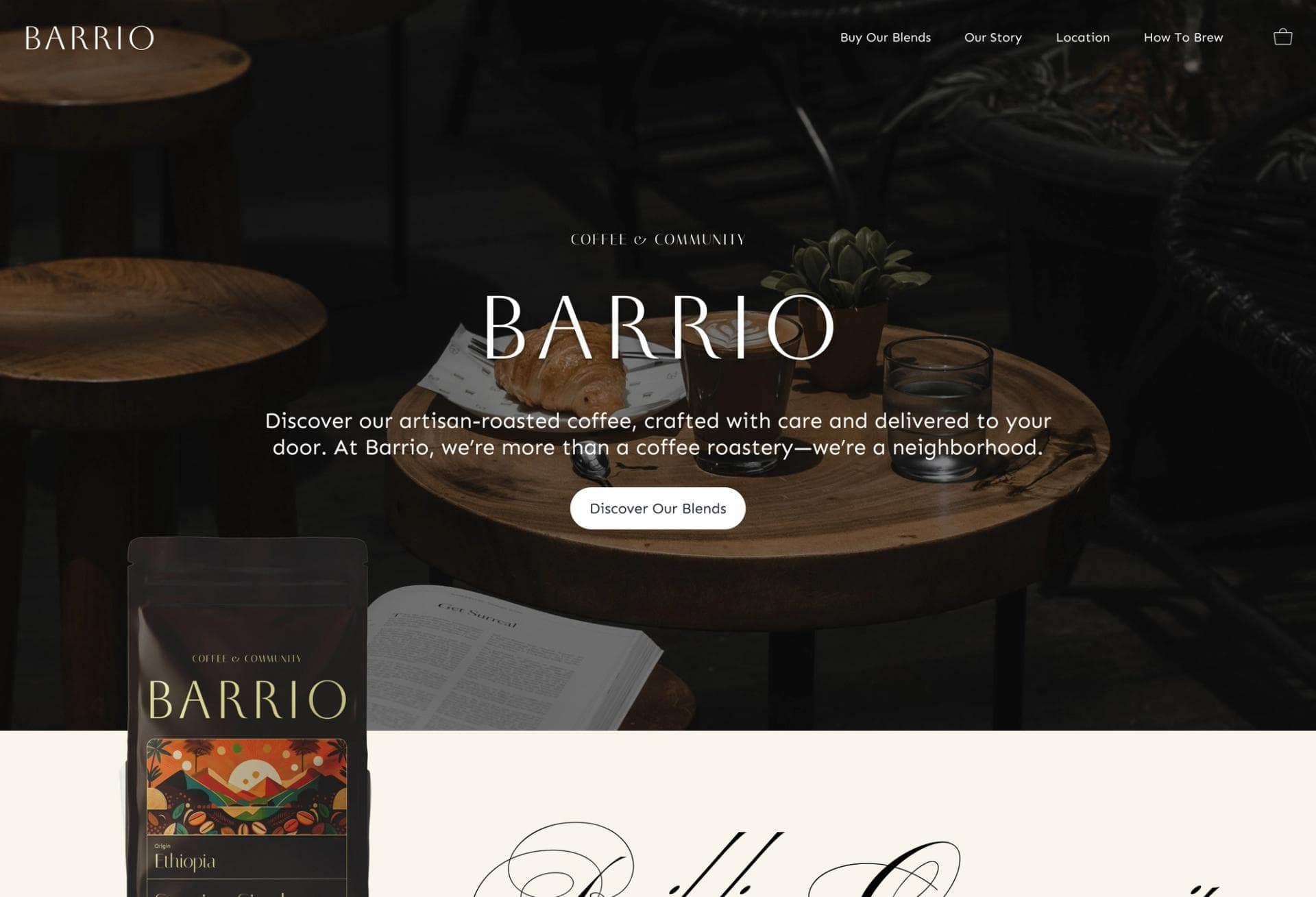
Medusa 2 Starter with Remix Storefront
This is an official Turborepo monorepo integrating a Medusa2 backend with a Remix frontend. Showcasing a Coffee Roast themed dynamic storefront, it features Stripe payment integration, scalability with unlimited products and categories, and a developer-friendly setup using TypeScript and Biome. Ideal for rapidly building dynamic, scalable e-commerce stores.
https://github.com/user-attachments/assets/3c10d2f5-91b8-405c-a47c-c8ae8a4be575
Table
- Prerequisites
- Project Overview
- Getting Started
- Local Development Setup
- Resetting the Database
- Enabling Express Checkout
- Useful Links
- Contributors
Prerequisites
Before you begin, ensure you have the following installed:
- ✅ Node.js 20+
- ✅ Yarn 4.5.0
- ✅ Remix
- ✅ Docker and Docker Compose
Project Overview
Key Features
- Dynamic Storefront: Leverages Medusa2's robust headless commerce capabilities and Remix's fast, data-driven UI for modern e-commerce experiences.
- Advanced Payment Integration: Out-of-the-box support for Stripe enables secure and reliable transaction processing.
- Scalability: Supports unlimited products, collections, categories, and tags, accommodating businesses as they expand their inventory.
- Developer Experience: Built with TypeScript and Biome, enhancing code quality, consistency, and maintainability.
Demo
You can view a live demo of the project here.
Getting Started
- Clone this repository
- Install dependencies:
yarn
- Test the setup:
yarn build
Local Development Setup
-
Generate files for both the Medusa backend and the Remix storefront.
yarn run generate-envThis will generate the and files.
-
Replace the following environment variables in your file:
- # Your Stripe secret key. Required to checkout.
-
Run the following command to initialize the Medusa database:
yarn run medusa:initThis will set up the database and seed it with some initial data, including a user with the email and password .
-
Start the development servers:
yarn devThis will start both the Medusa backend and the Remix storefront in development mode.
-
Create a Publishable API Key for your storefront:
-
Log in to the Medusa admin using the credentials /
-
Navigate to the Publishable API Keys settings and copy an exisiting API Key or create a new one with at least one Sales Channel.
-
-
Replace the environment variables in the file:
- # API key from previous step
- # starts with
- # starts with
-
Restart your storefront and medusa backend:
yarn dev
Resetting the Database
In order to reset the database, follow the steps from 3 to 7 in the Local Development Setup section.
Enabling Express Checkout
For a more complete guide on how to enable Express Checkout, see the Stripe documentation.
To enable Express Checkout in the Medusa Storefront, follow these steps:
-
Enable the payment methods you want to use to during Express Checkout in the Stripe payment methods settings.
-
Create your own domain association file to verify your domain, and replace the content in the file with your own domain association file content.
-
Register your domain for payment methods - see this stripe guide for more information.
- for development, you may want to use a service like ngrok.
- for production, a domain with is required.
Useful Links
Contributors
Made with ❤️ by the Lambda Curry team.